How to Optimize Your Google Shopping Product Titles

By Jacob Mølby, Partner ·
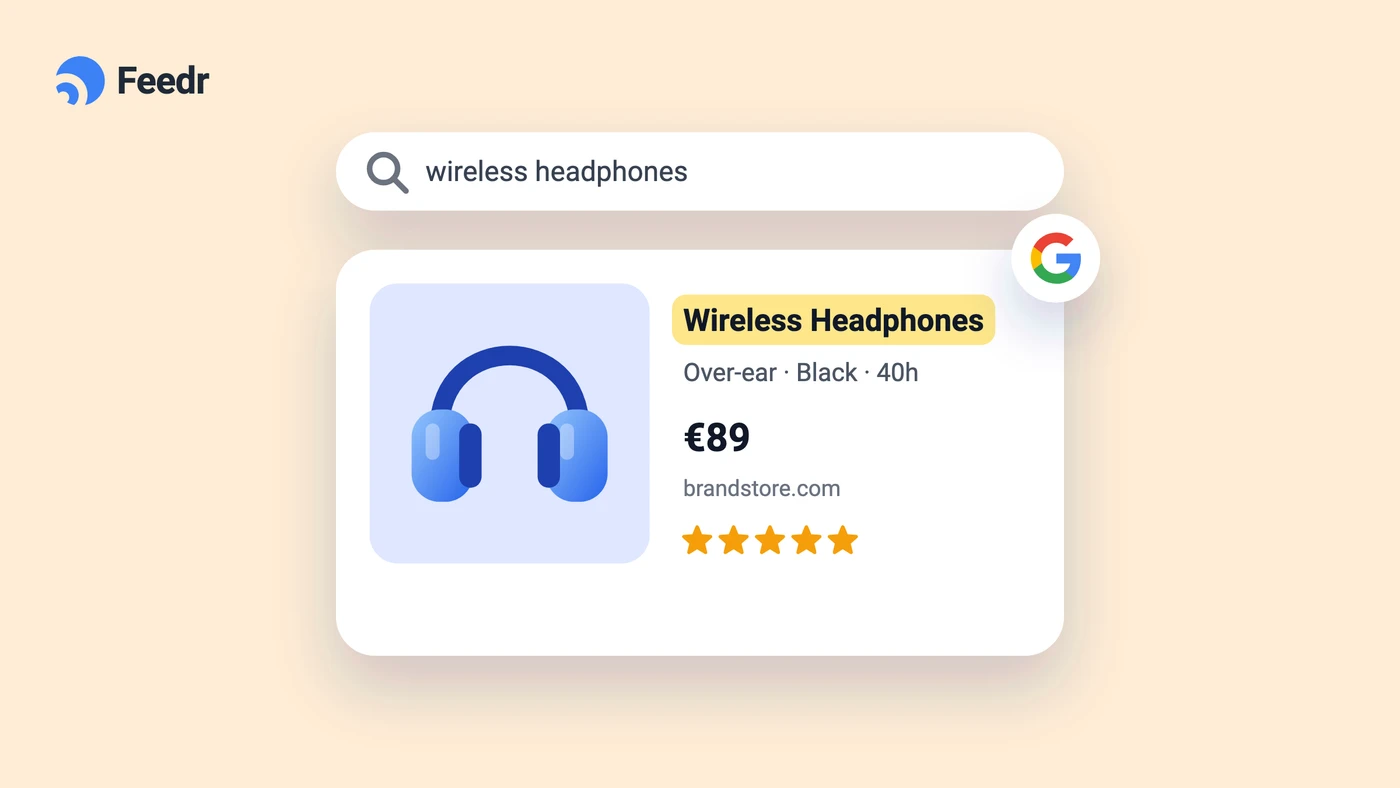
Your product title is the single most important field in your Google Shopping feed. It determines which searches your products show up for, and whether someone actually clicks on your ad once they see it.
Google Shopping works like a search engine. It matches product titles against what shoppers are typing in. If your title says "Blue T-Shirt" and someone searches for "Nike Dri-Fit Running Shirt Men's Blue Large" - you're probably not going to show up. And if you do, you'll lose the click to the listing that matches what they were looking for.
The good news is that title optimization isn't complicated. It comes down to putting the right information in the right order. This article covers general best practices and gives you ready-to-use title formulas for different product categories. If feeds are new to you, start with what a product feed is.
Why titles matter more than you think
Google allows up to 150 characters in a product title, but only about 70 characters are visible in the actual Shopping ad. That means the first 70 characters need to do the heavy lifting.
A well-structured title does two things. First, it helps Google understand what your product is so it can match it to the right searches. Second, it helps the shopper quickly see that your product is what they're looking for - which means a higher click-through rate and ultimately more sales.
Generic titles like "Running Shoes" get fewer impressions because they don't match the specific queries shoppers are typing. A title like "Nike Air Max 270 Running Shoes Black Size 10" matches far more searches and gives the shopper confidence that this is exactly what they want.
General best practices
Front-load the important stuff. The most critical information should come first - typically the brand name, followed by the product type. Since only 70 characters are visible in the ad, don't bury key details at the end.
Always include the brand. Brand is one of the most common things shoppers search for, especially in categories like fashion, electronics, and beauty. Put it at the start of the title.
Be specific. Include attributes like color, size, material, and model number. These are the details that separate a generic listing from one that actually matches what someone is searching for.
Use the words your customers search for. Think about how your customers would describe the product, not how your internal team refers to it. If shoppers search for "wireless headphones" but your title says "Bluetooth audio device" - that's a missed opportunity.
Don't waste characters. Skip promotional text like "Free Shipping" or "Best Seller" - Google doesn't like it, and it takes up space you could use for actual product attributes.
Title Formulas for Different Categories
Shoes & Apparel
Shoppers in this category almost always search by brand, and they often include color and size. Make sure these are prominent.
Formula: BRAND + TITLE + COLOR + SIZE
Examples:
- Nike Air Max 270 Sneakers White Size 10
- Adidas Ultraboost Running Shoes Black Size 9
- Levi’s 501 Original Fit Jeans Blue 32x32
Consumer Electronics
Tech shoppers tend to search for specific models and specs. Include as much detail as you can fit.
Formula: BRAND + TITLE + MODEL/SPECS + KEY FEATURES
Examples:
- Sony WH-1000XM4 Wireless Noise Cancelling Headphones Black
- Apple iPhone 14 Pro Max 128GB Space Gray Unlocked
- Samsung QLED 65-Inch 4K Smart TV 2024 Model
Home Appliances
Capacity and key features are what set home appliances apart in search results. A washing machine is a washing machine - the specs are what make shoppers click.
Formula: BRAND + TITLE + CAPACITY/SIZE + KEY FEATURES
Examples:
- LG Front Load Washer 8kg Steam Technology White
- Dyson Cordless Vacuum Cleaner V11 Extra Battery Pack
- Samsung Refrigerator 500L Frost-Free Double Door Silver
Outdoor Equipment
Outdoor shoppers care about durability, materials, and capacity. Highlight what makes the product suitable for the conditions it's designed for.
Formula: BRAND + TITLE + MATERIAL/SIZE + KEY FEATURES
Examples:
- Coleman Camping Tent 6-Person Waterproof Double Layer
- Yeti Cooler Hard-Shell 45L Portable Insulated White
- The North Face Hiking Backpack Nylon 30L Water-Resistant
Hardware & Tools
Precision matters here. Professionals and DIY buyers search for exact sizes and specifications.
Formula: BRAND + TITLE + SIZE + QUANTITY
Examples:
- DeWalt Cordless Drill 18V with 2 Batteries
- Stanley 24-Inch Toolbox Heavy Duty Plastic
- Bosch Circular Saw Blade 7-1/4 Inch 24 Teeth 2-Pack
Pet Supplies & Accessories
Pet owners search by brand, product type (food, treats, toys), and size. Including the specific animal and flavor or variant helps narrow the match.
Formula: BRAND + TITLE + CATEGORY + SIZE
Examples:
- Pedigree Adult Dog Food Chicken 10kg
- Whiskas Cat Treats Tuna Flavor 60g
- Purina Pro Plan Puppy Dry Food Lamb 5kg
Beauty & Personal Care
Brand loyalty is strong in beauty. Some categories lead with the brand, others with the product type - it depends on whether the brand or the product function is what shoppers search for first.
Formula 1: BRAND + TITLE + KEY FEATURES + SIZE
Formula 2: TITLE + KEY FEATURES + BRAND
Examples:
- L'Oreal Paris Keratin Smooth Shampoo 500ml
- Maybelline Superstay Matte Lipstick Long-Lasting Red 7ml
- Clinique Hydrating Face Cream SPF 30 50ml
Watches
Material, color, and features like water resistance are what differentiate watch listings in search results.
Formula: BRAND + TITLE + MATERIAL + COLOR + KEY FEATURES
Examples:
- Casio G-Shock Watch Resin Strap Black Digital
- Seiko Automatic Watch Stainless Steel Blue Dial
- Fossil Hybrid Smartwatch Leather Band Brown Water-Resistant
Nutritional Supplements
Dosage and quantity are critical in this category. Health-conscious shoppers search for specific ingredients and amounts.
Formula: BRAND + TITLE + KEY INGREDIENTS + SIZE + QUANTITY
Examples:
- Nature’s Bounty Vitamin D3 1000 IU 200 Softgels
- Optimum Nutrition Whey Protein Isolate Chocolate 5lbs
- Garden of Life Probiotic Supplement 30 Billion CFU 90 Capsules
Putting it into practice with a feed management tool
Knowing the right title structure is one thing. Actually building it across hundreds or thousands of products is another. You're not going to manually rewrite every title in your catalog.
This is where a feed management tool comes in. Instead of editing titles one by one, you map your product attributes into a title formula and let the tool generate the optimized titles for every product automatically.
Here's how you build titles with Output Mapping in Feedr. Say you're selling shoes and you want your title to follow the formula: Brand + Product Name + Color + Size.
In Feedr's Output Mapping, you'd add four values to the title field - brand, title, color, and size - and set a field separator (like a space) so they're joined cleanly. The result for each product might look something like "Nike Air Max 270 White 42".
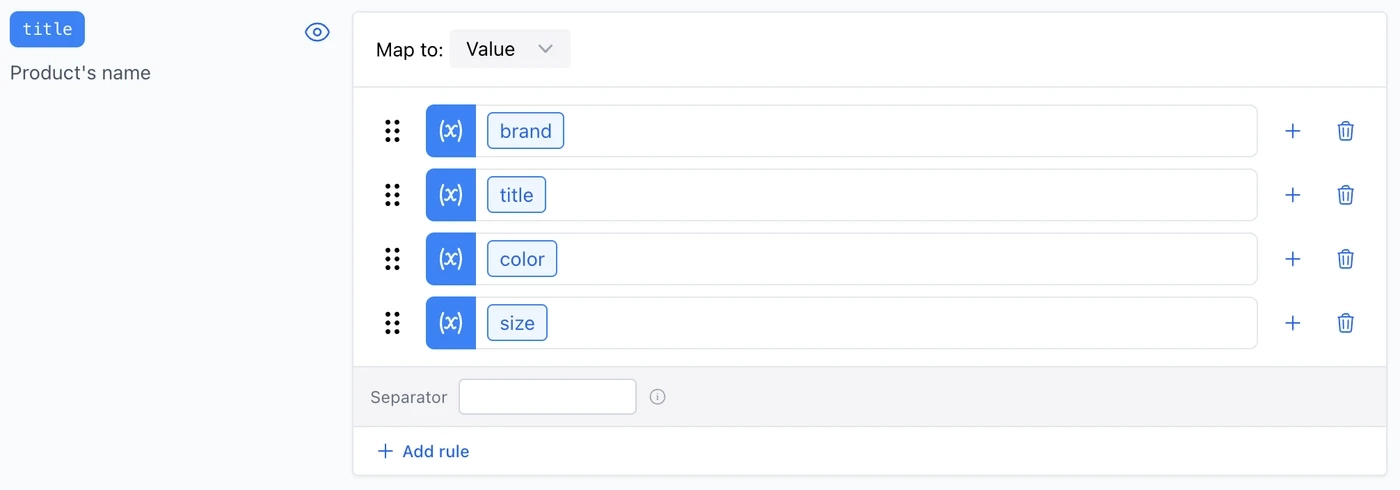
You can also add mutations to individual values. For instance, you could capitalize the color or add a prefix like "Size:" before the size value. And if you need different title logic for different products - say one formula for shoes and another for electronics - you can use rules to control which mapping applies.
The best part is being able to verify the output before publishing your feed. Feedr's Quicklook feature lets you preview the generated title for every product in your catalog. You can see at a glance whether the formula is producing the results you want, filter for products with missing attributes, and spot issues before they go live.

This kind of workflow isn't unique to Feedr - most feed management tools offer some version of field mapping. The point is that you should be automating this rather than doing it by hand, regardless of which tool you use.
A few final tips
Test and iterate. Don't assume your first title formula is perfect. Run it for a few weeks, look at your click-through rates, and adjust. Sometimes moving the color before the product name makes a difference. Sometimes adding "Men's" or "Women's" to apparel titles unlocks searches you were missing.
Watch for empty attributes. If a product is missing a color or size value, your generated title might end up with awkward gaps or trailing separators. Use a feed tool that handles empty values gracefully, or set up fallback logic.
Don't forget mobile. On mobile, even fewer characters are visible. Make sure the first 40-50 characters of your title are strong enough to stand on their own.