When to Merge Product Variants in a Feed (and When Not To)

By Jacob Mølby, Partner ·
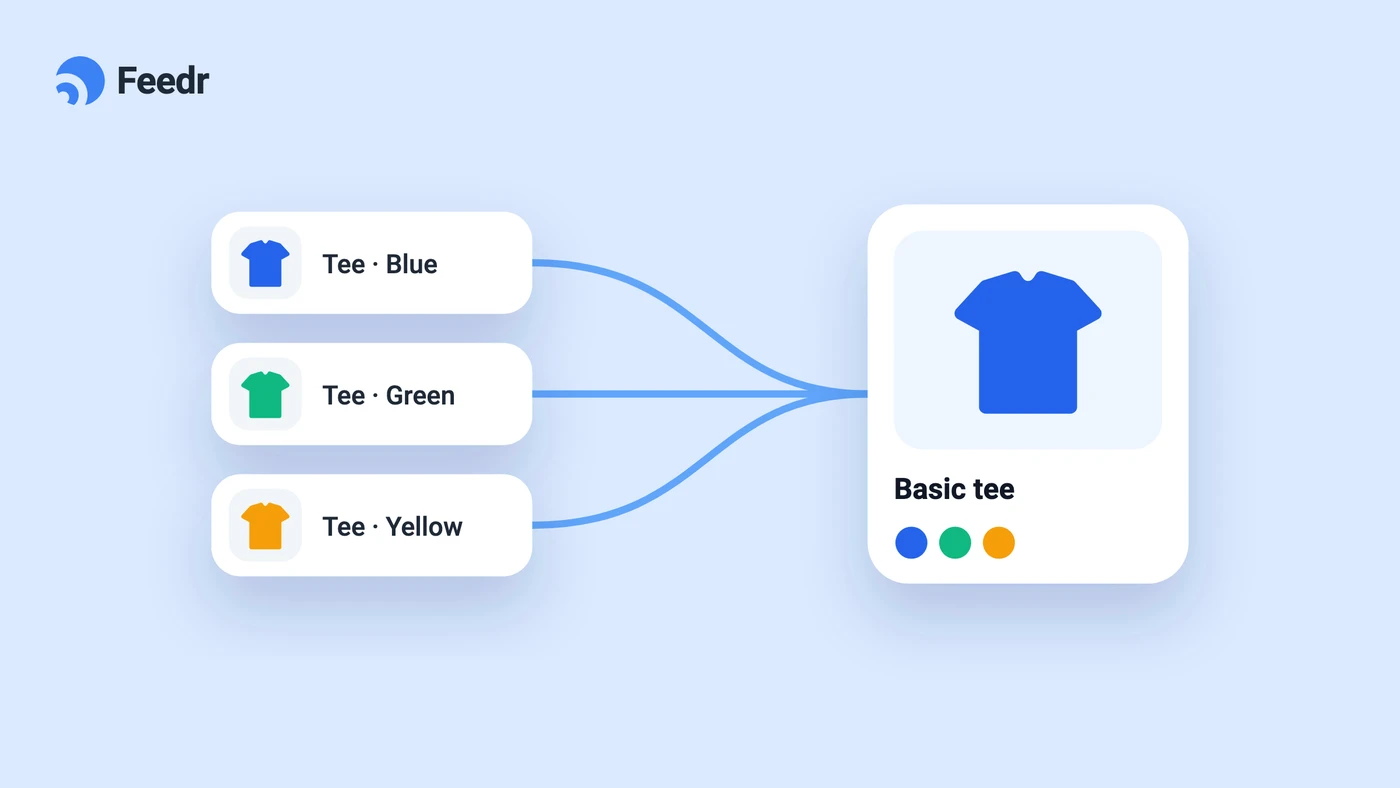
Merge product variants in a feed when the channel you send to can't handle variants, like Klaviyo, or when you need one image or price per product. Keep them separate for channels that match shoppers to the exact size or color, like Google Shopping and Meta. If your variants aren't grouped correctly yet, start with how to set up product variants in a feed.
Most products in an ecommerce store come in variants. A t-shirt has sizes and colors. A pair of running shoes comes in five colorways. A sofa is offered in three fabrics. By the time you account for every combination, a catalog of 500 parent products can balloon into 5,000 rows in your product feed.
That raises a question most people don't think about until something breaks: should your feed contain one row per variant, or one row per product?
There isn't a universal answer. The right choice depends on the channel you're sending to, what you're trying to accomplish with the feed, and how the receiving system handles variant data. This post walks through how to make that call.
The default: one row per variant
By default, most feed management tools (including Feedr) export one entry per variant. A product with 5 colors and 4 sizes generates 20 separate rows in the feed, each with its own ID, price, image, and stock count.
This is usually what you want. Variant-level data is what most modern shopping channels are built around. When someone searches Google Shopping for "red Nike Air Max in size 42," the algorithm needs that exact variant in your feed to match it. A merged "Nike Air Max" row with "red, blue, black" stuffed into the color field doesn't help.
What merging actually does
When you enable variant merging, the feed collapses all variants of a product into one entry. For each output field, you pick a merge strategy that decides how the values from each variant get combined.
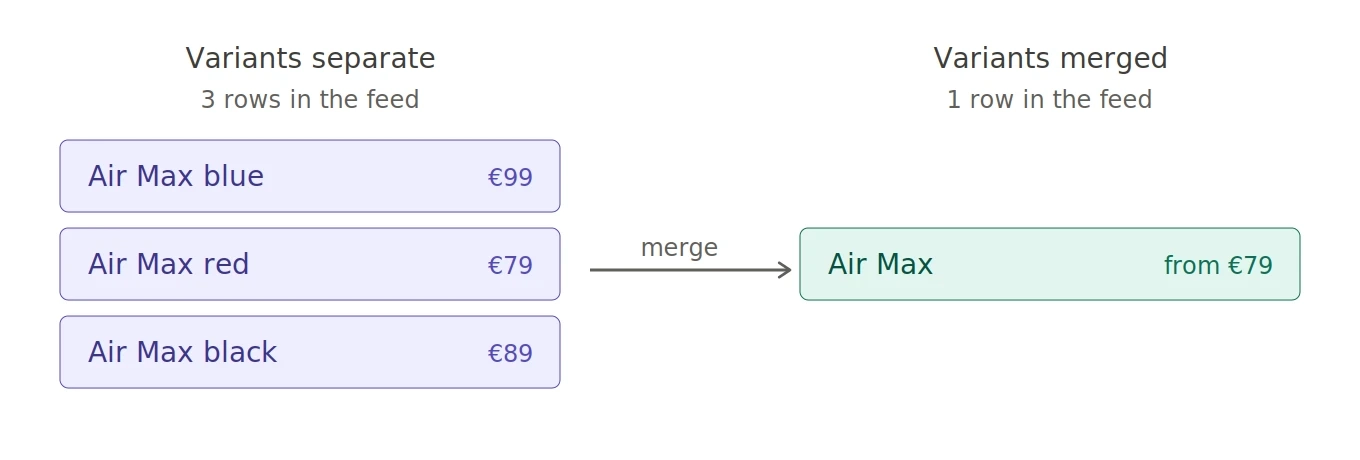
Take a "Nike Air Max" product with a blue variant priced at €99 and a red variant at €79. Merged, it could come out as:
- Title:
Nike Air Max(the common part shared across variants) - Color:
blue, red(all values listed) - Price:
79.00(the lowest value) - Stock:
12(the sum of stock across variants)
One row, blended data. Less granular, but in some contexts that's exactly what's needed.
Channels that want variants separate
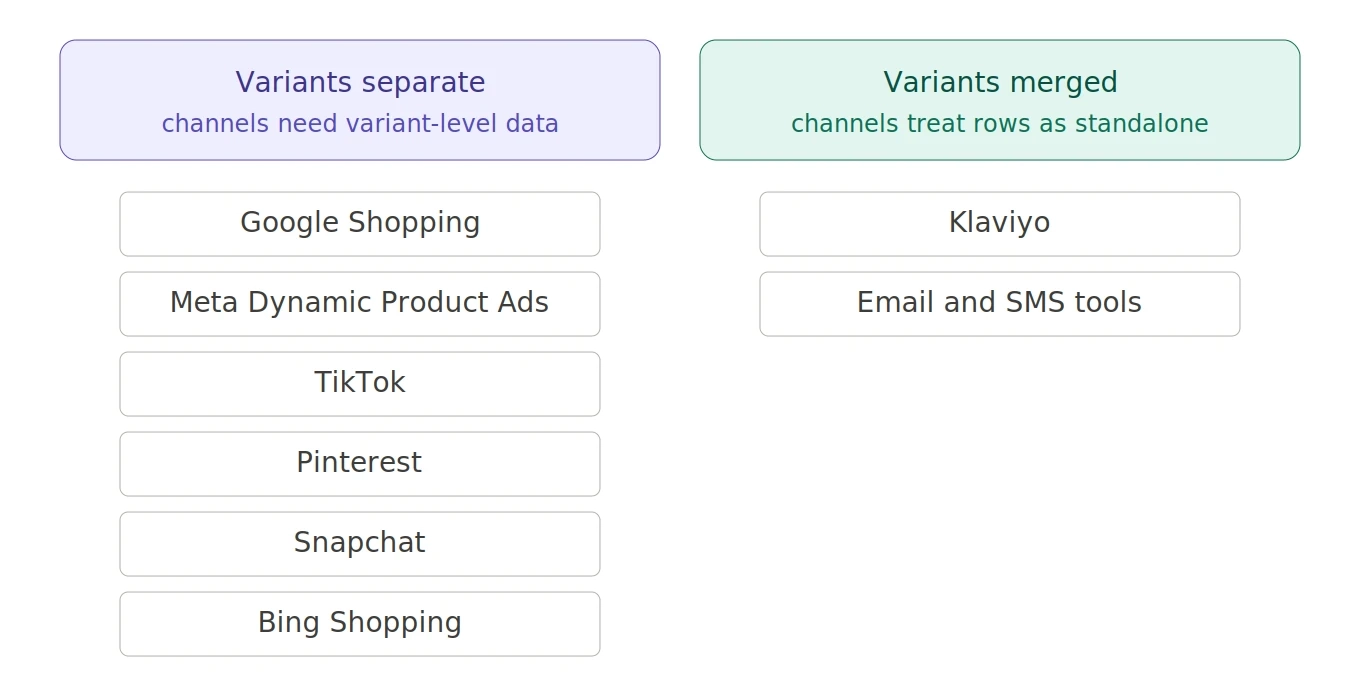
Most paid shopping and dynamic ad channels are built around variant-level data. Keep variants separate when sending to:
- Google Shopping: matches search queries against specific variants. Merging hides size and color attributes that the algorithm relies on.
- Meta Dynamic Product Ads: retargets users based on the exact variant they viewed. Merging breaks that connection.
- TikTok, Pinterest, Snapchat: the dynamic ad logic on these platforms works the same way as Meta's. Variant-level data drives matching and retargeting.
- Bing Shopping (Microsoft Advertising): same model as Google Shopping.
The pattern is simple: if the channel supports variants natively, it expects them. Merging strips out signals the channel uses to do its job.
Channels that want them merged
Some channels don't model variants at all. They treat each row as a standalone product. Sending a feed with 20 variant rows to one of these tools just creates clutter and duplication.
- Klaviyo: doesn't support product variants with custom catalogs. Multiple rows for the same product fragment your data, mess up flow logic, and create duplicate product references in emails.
- Some email and SMS marketing tools: treat the feed as a flat product list. Variants confuse the recommendation logic.
For these, merging isn't optional. It's the only way to get clean, useful data into the system.
The gray zones
Not every case is clear-cut. A couple of situations sit in the middle:
Image templates that look better at the parent level. If you're rendering dynamic product images with prices on them ("From €79"), you usually want one image per product, not 20 nearly identical ones. Merging with a "lowest value" strategy on price gives you that.
Inventory aggregations. If your feed feeds a tool that does stock-aware filtering (skip products that are sold out, for instance), summing inventory across variants might be more useful than checking each variant individually.
Variant URLs that aren't unique. If your shop uses one URL per parent product and variants have different prices, Google compares the feed price against the price on the landing page. Variants whose price doesn't match the default (the one shown on page load) get disapproved. Sending parents-only sidesteps the disapprovals: one row, one price. The proper fix is unique URLs per variant, but if that's not on the roadmap, parent-level merging is a workaround.
Merging to consolidate ad spend
There's one more reason to merge: budget. It's also the reason most likely to backfire.
On channels that support variants, keeping them separate is almost always right. Merging trades away matching, retargeting, accurate stock data, and granular reporting. The narrow case where it helps is when the catalog is so big relative to the budget that the algorithm can't generate signal per row. If you're not certain you're in that situation, you aren't.
Before merging, try a product set. In Meta, a product set is a subset of your catalog assigned to an ad set - your top sellers, highest-margin items, or a curated selection. Same effect (smaller pool to optimize against) without flattening the feed. TikTok, Pinterest, Snapchat, and Google offer similar mechanisms. Exhaust this first.
If product sets aren't enough and you decide to merge, the pixel setup matters. Advantage+ catalog ads require the product ID reported by Meta Pixel (or App Events) to exactly match the ID column in your feed. When variants are merged, that column is the item group ID - variant-level IDs are no longer there to match against.
Update content_type and content_ids together. The valid values are product and product_group, and the value must match the type of ID in content_ids:
- Variants separate:
content_type: "product"with variant-level product IDs. - Variants merged:
content_type: "product_group"with item group IDs.
Mismatched values mean Meta can't match events to your catalog, and retargeting and attribution silently break. Update the pixel before you enable merging, not after.
Choosing a merge strategy
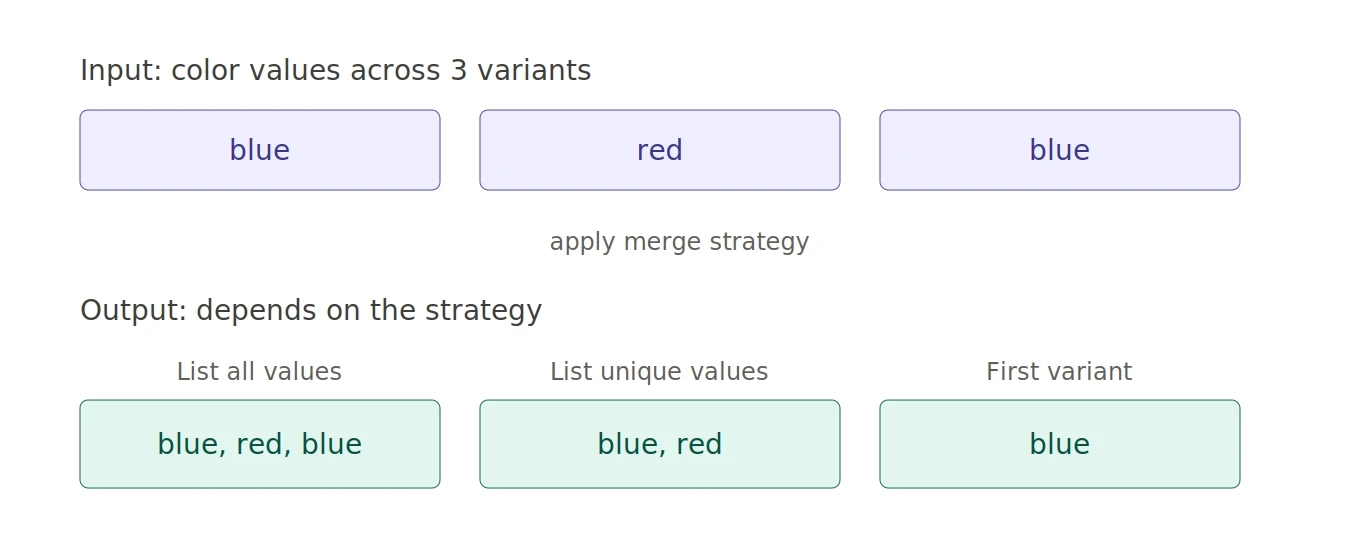
Once you decide to merge, you still have to tell the feed how to combine values. The strategy you pick depends on what each field represents.
- List all values / List unique values: useful for attributes that legitimately vary across the product. Colors, sizes, materials. Use "unique" if your data is messy and you want to deduplicate.
- Take the common part: best for titles. If your variants are titled "Nike Air Max Blue" and "Nike Air Max Red," this strategy gives you "Nike Air Max" automatically. No manual cleanup.
- Take the lowest value: the standard for price. Shows the cheapest entry point and creates the strongest "from €X" effect in ads and creative.
- Take the highest value: less common, but useful for showing maximum size, weight, or capacity.
- Sum all values: the right choice for inventory and stock counts.
- Take the value of the first variant: a fallback when nothing else applies. Also what numeric strategies fall back to if a field has no numeric values.
Performance implications
Merging trades signal for simplicity. That's worth saying plainly.
When you merge variants, you lose:
- Variant-level bidding: in channels that support it, you can't bid differently on a popular size vs. a slow one if there's only one row.
- Granular reporting: which color sells best becomes harder to see in channel-side reports.
- Specific match opportunities: searches for narrow attributes (a specific size, a specific color) won't match as well.
- Stock-aware exclusions: without variant-level stock data, you can't exclude products where specific variants are sold out. If four of five colors are out of stock but the parent still reports "in stock," you keep paying for clicks that land on "select another color" pages.
What you gain is cleaner data for systems that don't know what to do with variants in the first place. That's a good trade for Klaviyo. It's a bad trade for Google Shopping.
This is why Feedr lets you configure variant merging per feed, not per account. The same product catalog can ship to Meta with variants intact and to Klaviyo fully merged, from the same source data.
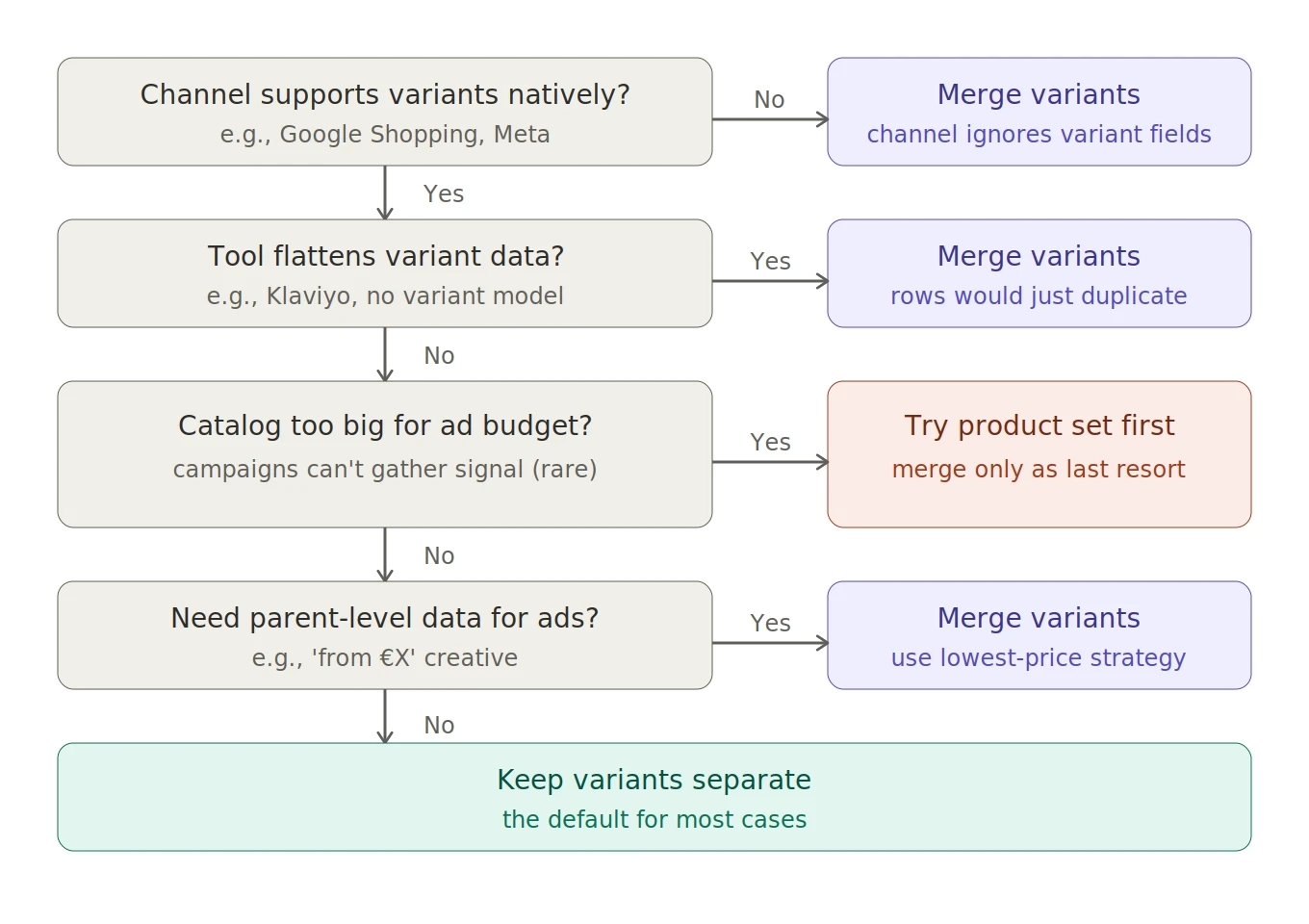
A simple decision framework
When in doubt, ask four questions in order:
- Does the destination channel support variants natively? If no, merge. If yes, keep going.
- Are you sending to a tool that flattens or ignores variant data? If yes, merge. There's no benefit to sending duplicate-looking rows.
- Is your catalog so large relative to your ad budget that campaigns can't generate signal? This is rare. If yes, try a product set in the channel first - a curated subset of your catalog the campaign optimizes against, with variants intact. Only consider merging if product sets aren't enough, and configure the pixel with
content_type: "product_group"and item group IDs incontent_idsbefore you flip the switch. - Do you have specific creative or pricing needs that require parent-level data? If yes (think "from €X" pricing in dynamic creative), merge with the right price strategy.
If the answer to all four is "I'm not sure," start with variants separate. It's easier to merge later than to un-merge data that's already been flattened.
Setting this up in Feedr
Variant Merging is configured per feed, in its own tab inside the feed view. You can enable it, pick a merge strategy for each output field, and save. Strategies can also be applied in bulk if you want to set everything to "first variant" and then tweak the few fields that need different handling.
If you're sending data to Klaviyo, this is a quick win. Enable merging, set sensible strategies (lowest price, common-part title, list-unique colors), and your Klaviyo flows will start showing clean product data instead of variant duplicates.
For the full setup walkthrough, see Variant Merging in the help center →